
Pet diary guide
Privacy and deleting your diary
Diary entries are stored on Paw4care’s server in the EU. Your data is never sold or used for advertising, and you can delete the whole diary yourself.
Where your data is
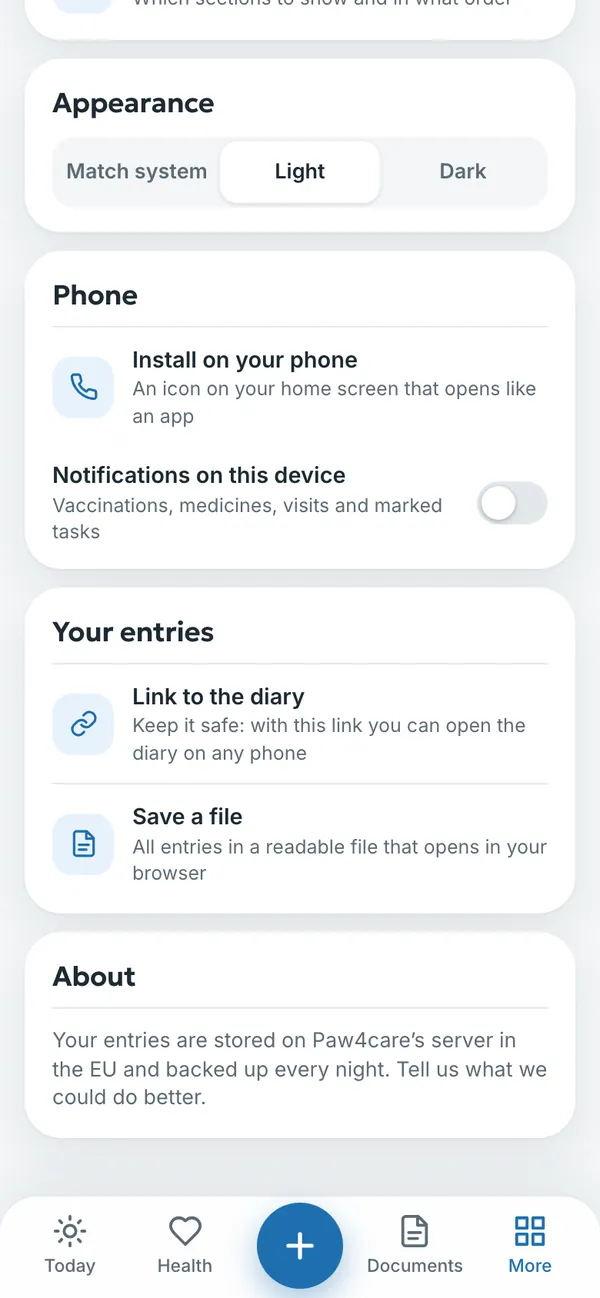
- Entries are stored on Paw4care’s server in the EU (Germany) and backed up every night.
- Your email address is used for signing in and, if you like, for reminders. We don’t send newsletters.
- Your data is never sold or used for advertising.
- We never see or store your card details: payments are handled by Polar.
Who can see your diary
- You, and the people you have invited in the Family section.
- A vet only through the QR code link, which expires after 24 hours.
- A pet sitter only the notes and routine, through the sitter link, for 7 days.
- On the lost pet page, your contact details are only shown while the search is on.
- You can close any link you have opened at any time.
Deleting an entry
Open the entry and choose delete. The diary asks Delete this entry?, and once you confirm, the entry is deleted.
Signing out
When you sign out under More → Settings, no entries are left on the device. You can sign back in with a code sent to your email.
Deleting the whole diary
- If you like, save your entries to a file first: More → Settings → Save a file.
- If you have an active plan, cancel it under More → Subscription → Manage subscription so that you aren’t charged again.
- Open More → Settings and tap Delete the whole diary at the bottom of the page.
- Confirm. The diary is deleted permanently and can’t be recovered, and no entries are left on the device.
Read more in the diary’s privacy notice and the site’s Privacy Policy. Questions: info@paw4care.com.
Try it yourself
In the example you can tap anything without signing in. Your own diary: 14 days free, no payment card.
The service is provided by TECHNOLOGY-R2 LLP, info@paw4care.com. Pricing · Terms of Service · Cancellation and Refund Policy · Privacy Policy · Contact
Guide updated 17 November 2026