
Pet diary guide
QR code for the vet and for the collar
Show a QR code at the appointment and your vet sees your pet’s health card without signing up. With a QR code on the collar tag, whoever finds your pet can contact you if they go missing.
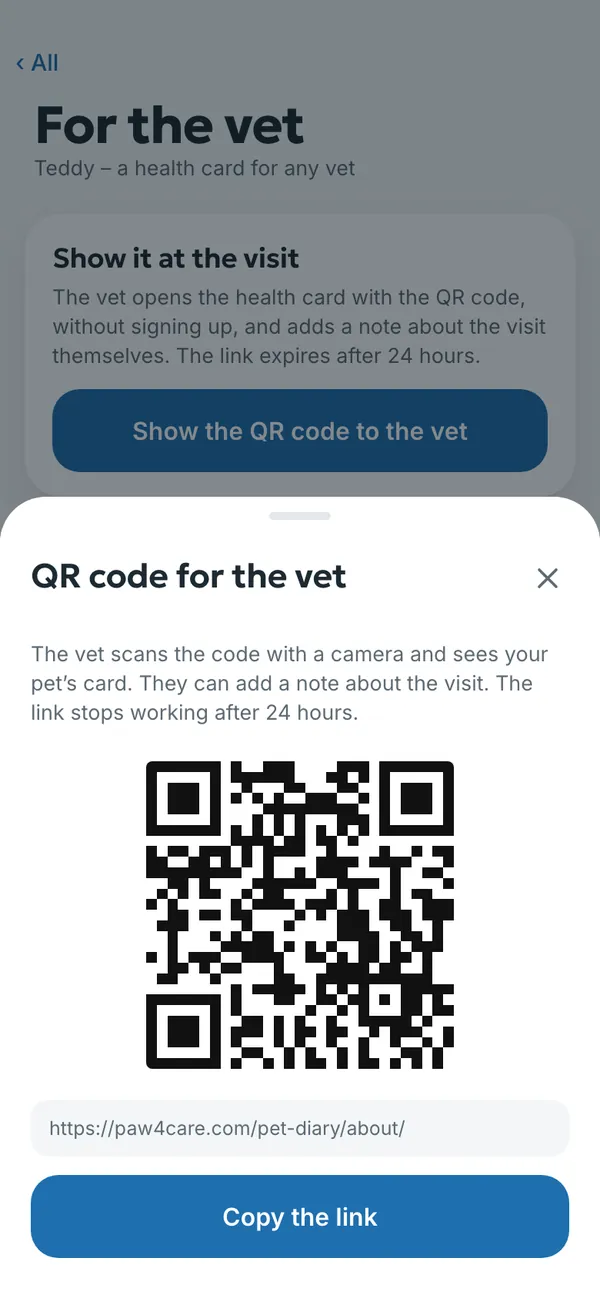
Showing the QR code at the vet’s
- Open More → For the vet.
- Tap Show the QR code to the vet.
- The vet scans the code with a camera and sees weight, vaccinations, medicines, lab results with their sheets and your notes.
- The vet can add a note about the visit, which stays in your diary.
- The link stops working after 24 hours. You can also copy it with Copy the link and send it.
- The vet doesn’t need to sign up or install anything.
- The link closes by itself after 24 hours, and you can see who opened it.
- If you change vets or move house, you keep the whole history.
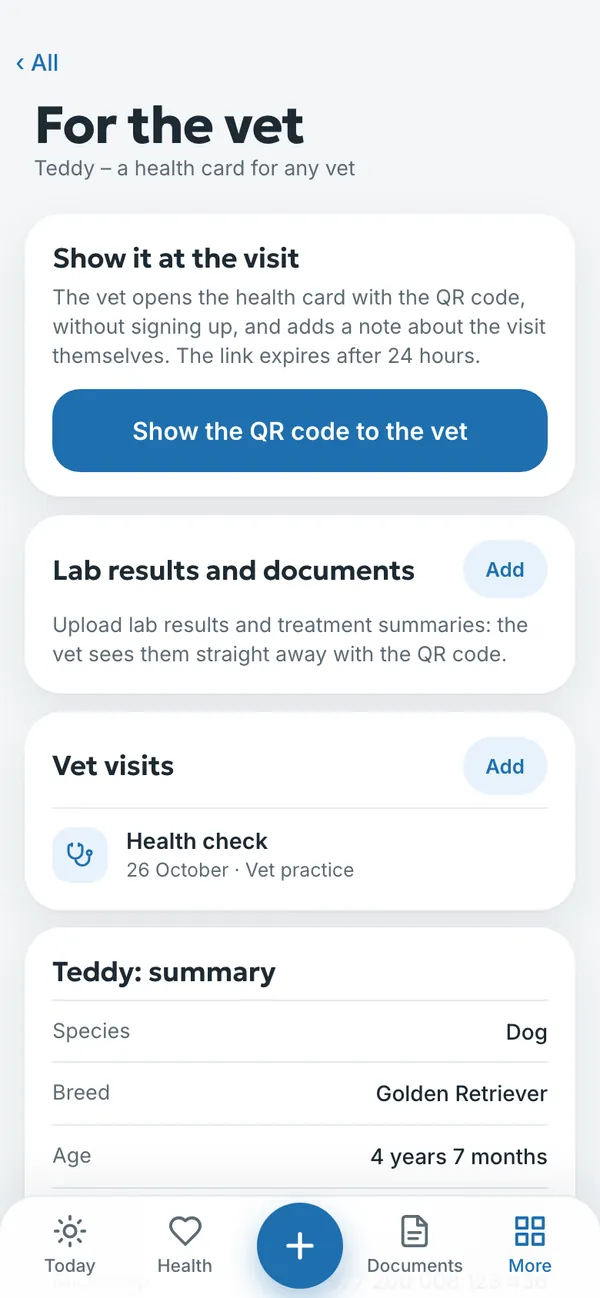
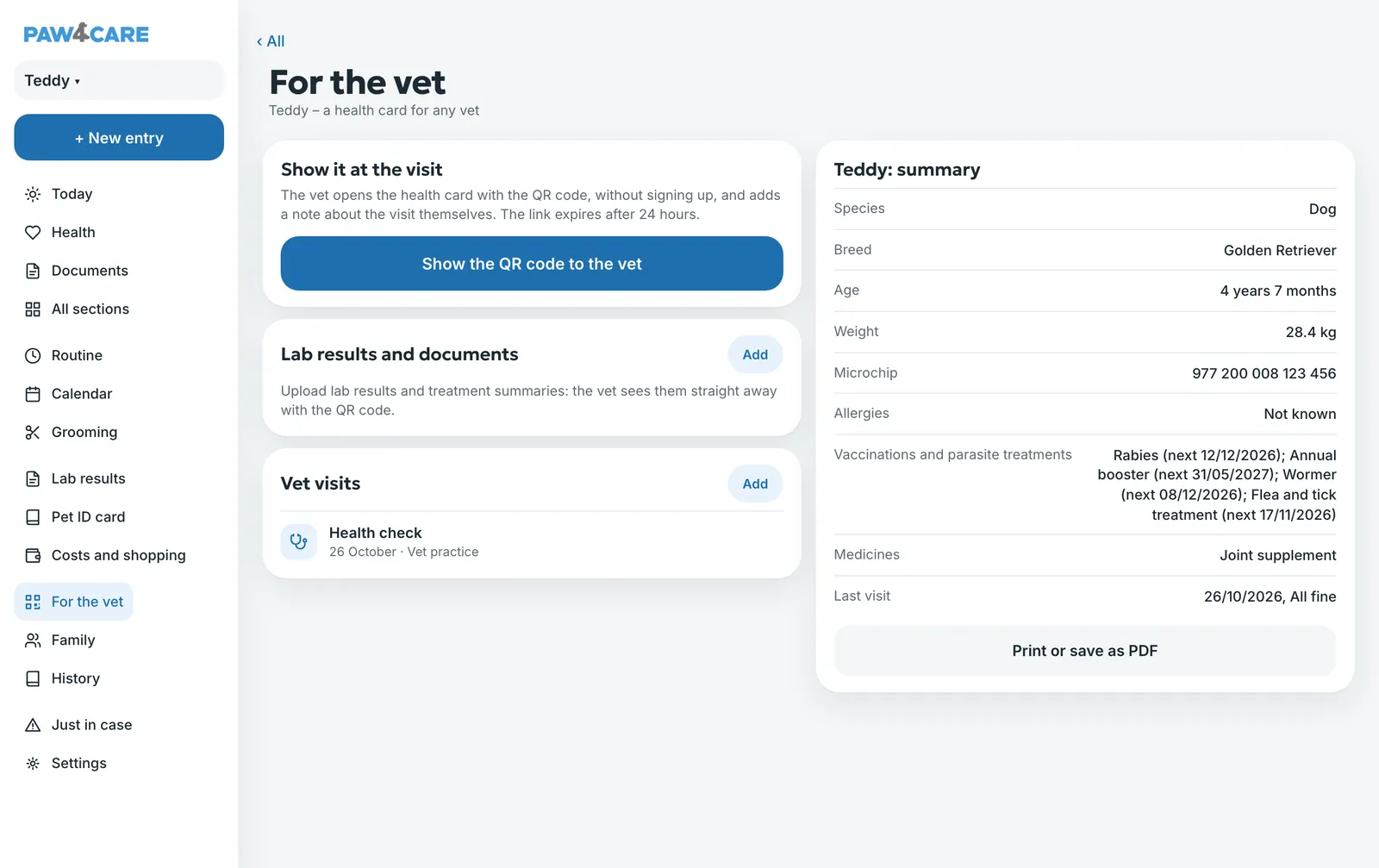
A one-page summary
The same page has your pet’s summary: species, breed, age, weight, microchip, allergies, vaccinations and parasite treatments, medicines and the last visit. Print it or save it as a PDF with Print or save as PDF. You add lab results and treatment summaries on the same page, and the vet sees them straight away through the QR code.
A collar QR code in case your pet goes missing
- Open More → Just in case and tap If Teddy goes missing (with your pet’s name).
- Print the QR code and attach it to the tag on the collar. The code doesn’t change.
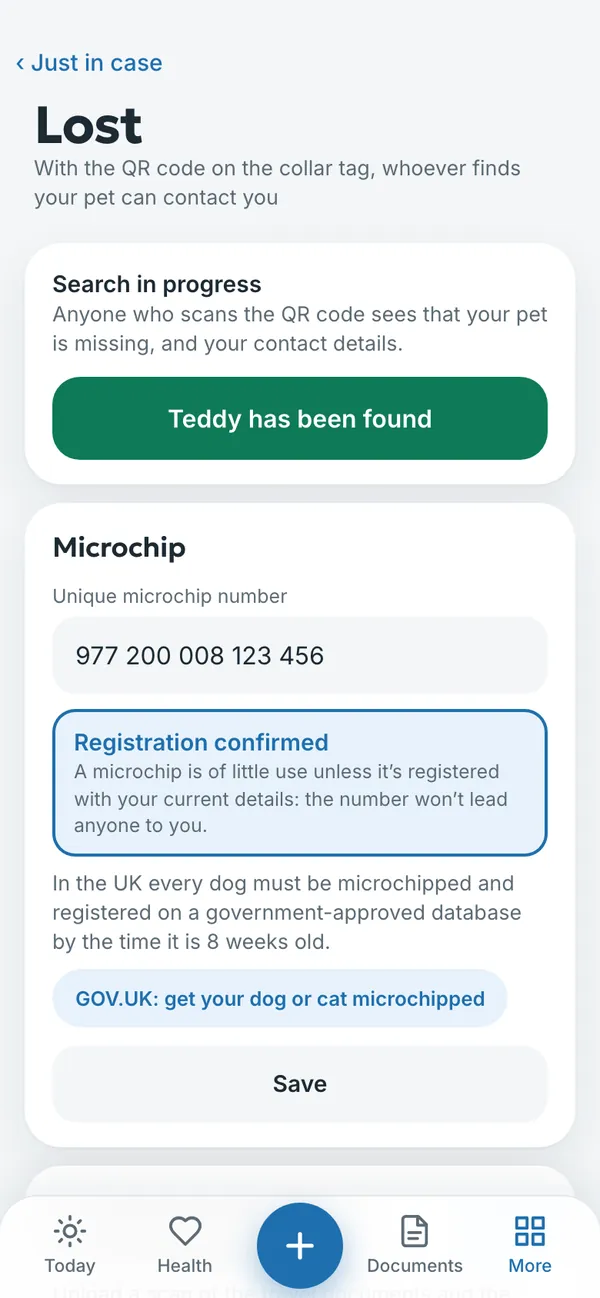
- If your pet goes missing, turn on the search with one button. Anyone who finds your pet points a camera at the code and sees your pet’s name, your contact details and the key information.
- When your pet is found, tap Teddy has been found to end the search.
- While the search is off, your contact details aren’t shown to anyone.
- The same page holds the microchip number and the confirmation that it is registered. In the UK every dog must be microchipped and registered on a government-approved database by the time it is 8 weeks old, and in England cats must be microchipped too.
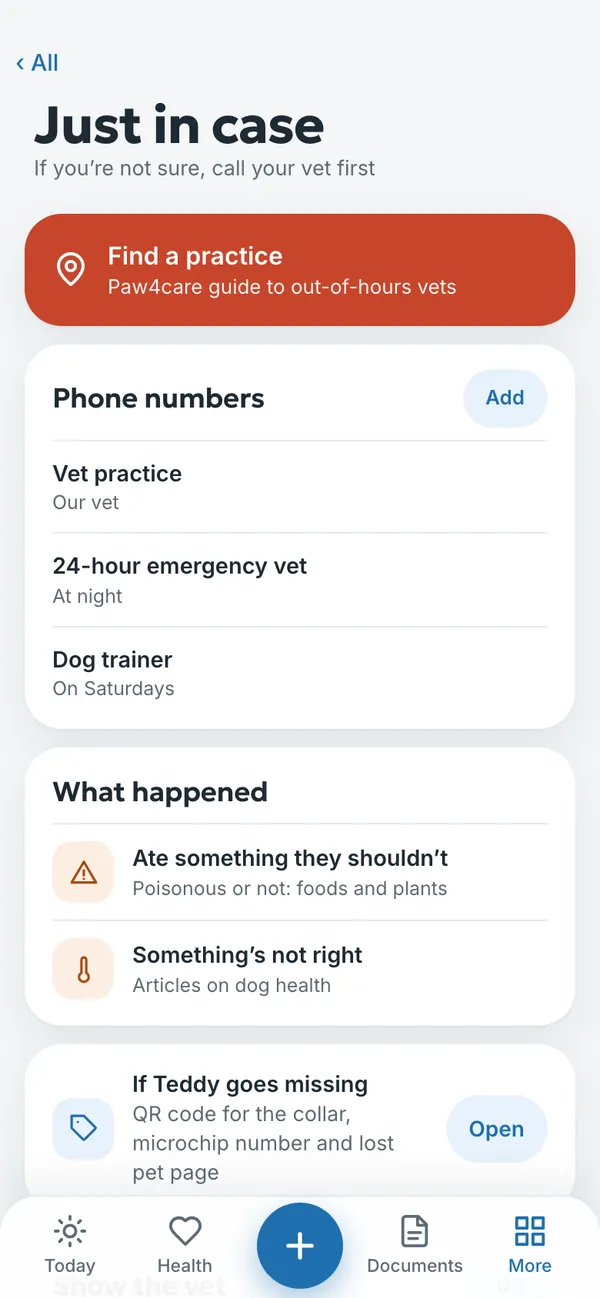
The Just in case section also holds the phone numbers of your vet and an out-of-hours vet, and what to do if your pet eats something they shouldn’t. There is an Emergency button at the top of the home screen.
Try it yourself
In the example you can tap anything without signing in. Your own diary: 14 days free, no payment card.
The service is provided by TECHNOLOGY-R2 LLP, info@paw4care.com. Pricing · Terms of Service · Cancellation and Refund Policy · Privacy Policy · Contact
Guide updated 17 November 2026