
Pet diary guide
Walks, feeding, routine, grooming, costs and tricks
These sections are optional. Turn on only the ones you need under More → What I track. Entries in a section you turn off are kept.
Walks and play
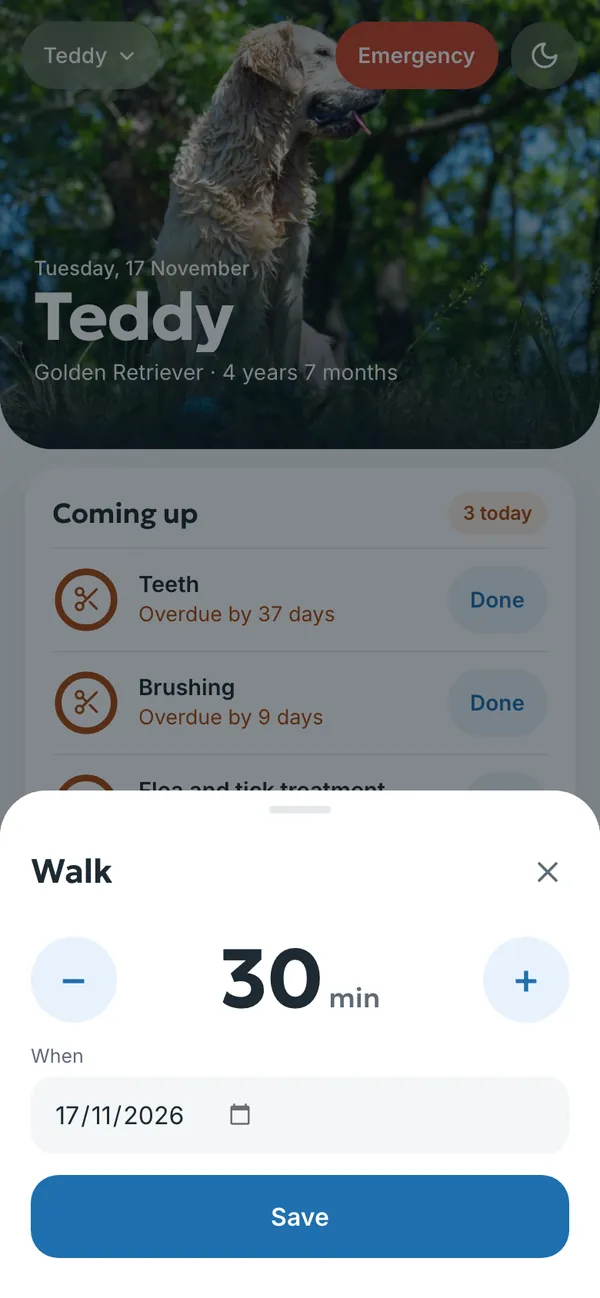
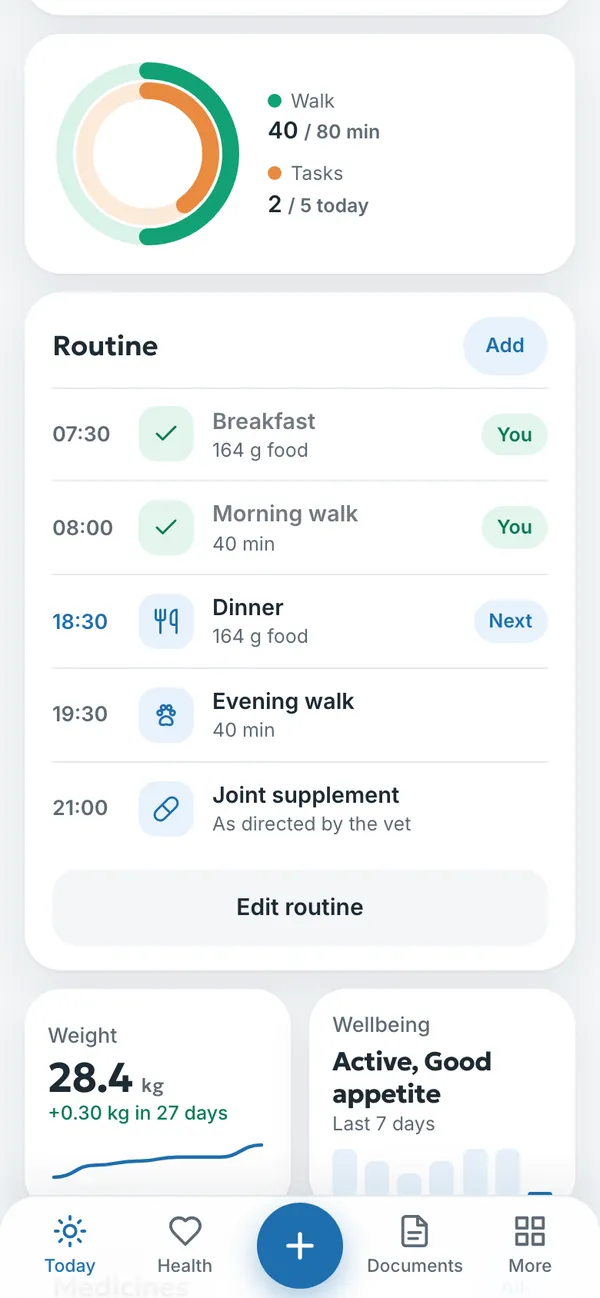
Record a walk with + → Walk (for cats, Play): how many minutes and on which day. The ring on the home screen shows today’s walks against the goal, and the Health section shows the week’s walks.
Feeding
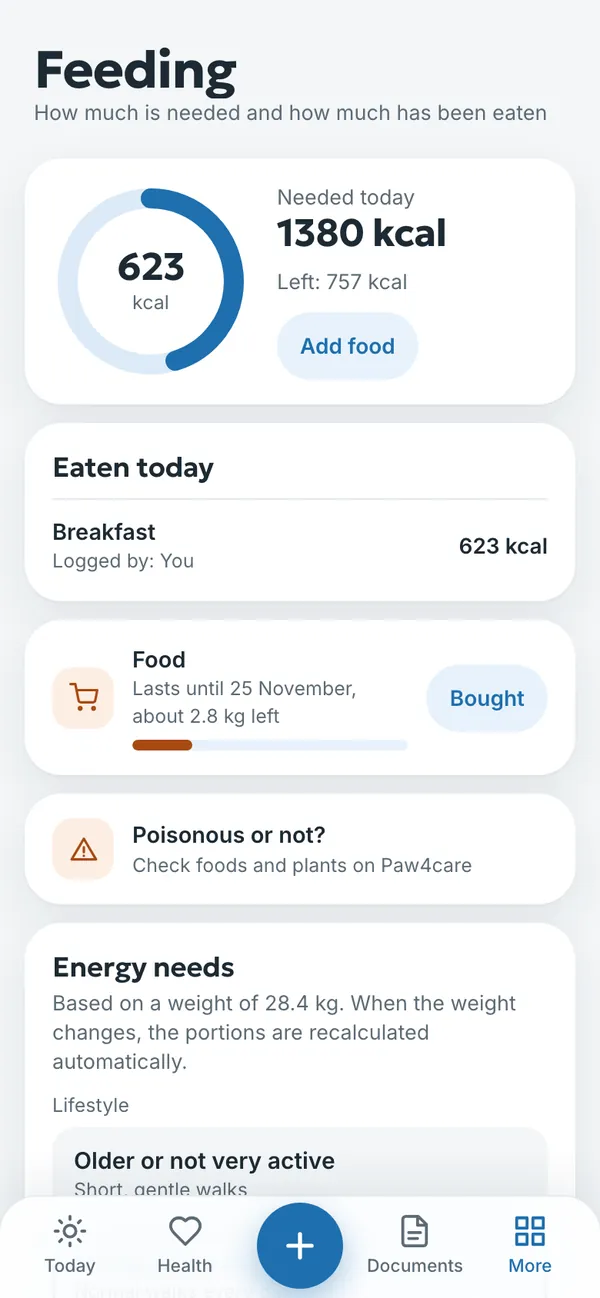
Feeding works out the day’s energy needs from weight and lifestyle and shows how much has been eaten and how much is left. When the weight changes, the portions are recalculated automatically. If your vet has prescribed a diet, enter it under Vet-prescribed diet and the portions are based on it.
Log food with Add food. The section also links to Is it poisonous? on Paw4care, where you can check foods and plants. For a quick estimate without the diary, there is the pet food calculator.
Routine
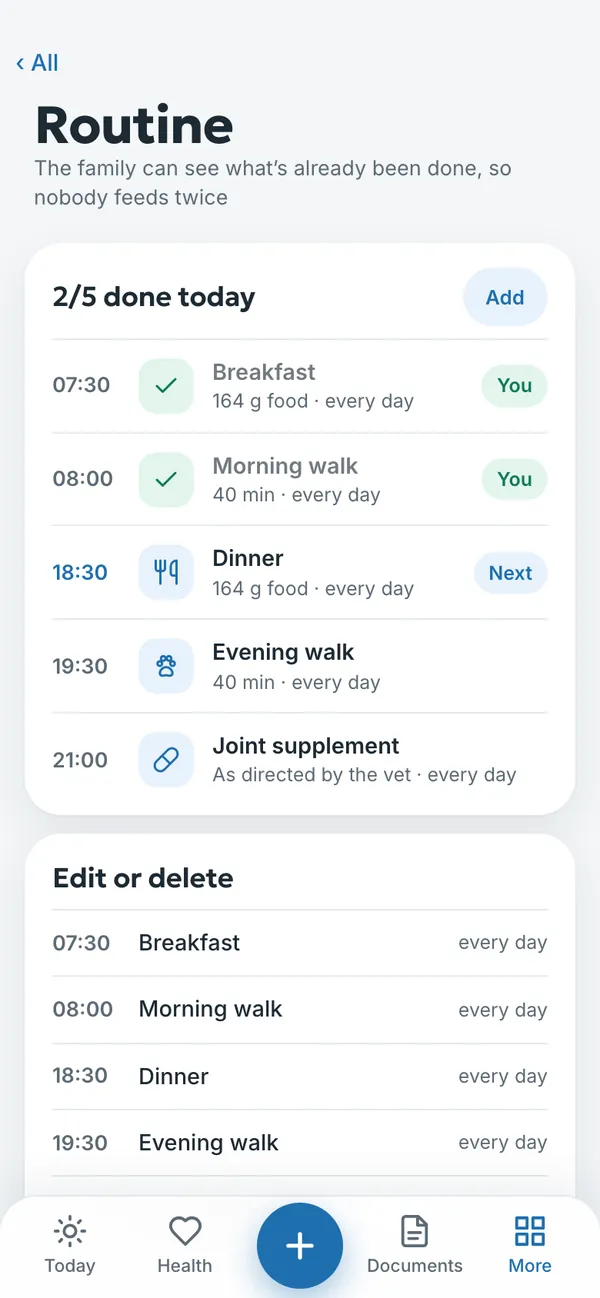
Routine gathers the day’s regular tasks: meals, walks and medicines. When someone ticks a task off, the whole family sees it, and nobody feeds the pet twice.
- Open More → Routine and tap Add.
- Choose the task and the time.
- When the task is done, tick it off. The name of whoever did it is shown next to it.
- Under Edit routine you change or remove tasks.
Grooming
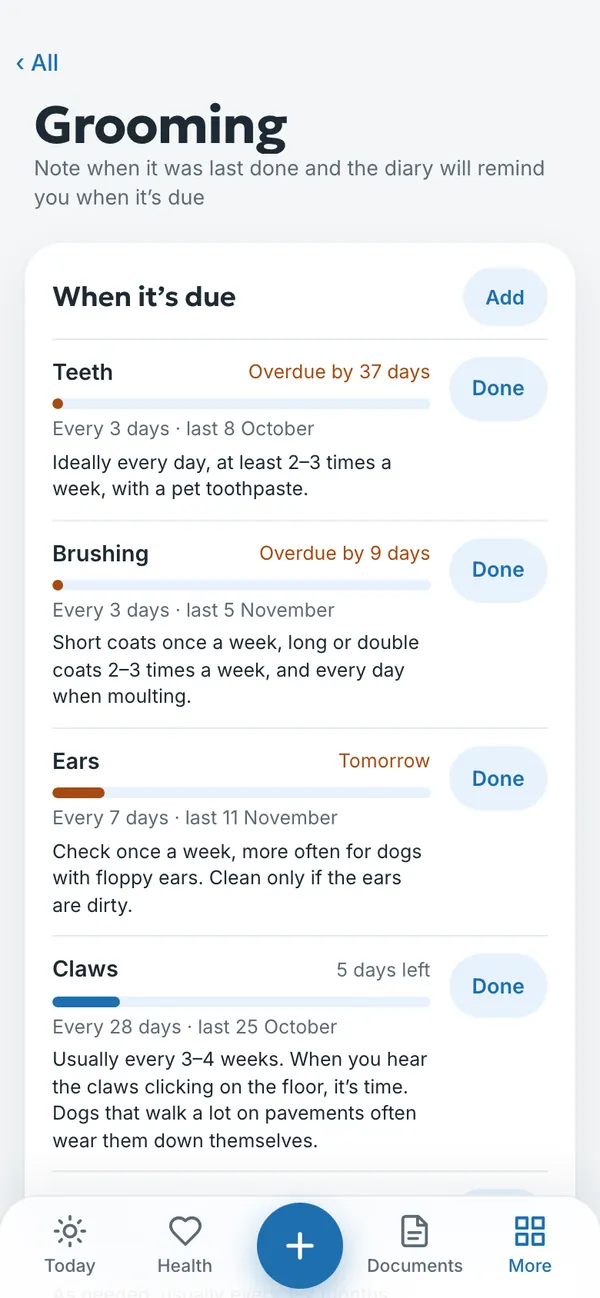
Grooming reminds you about claws, brushing, teeth and ears. Mark with Done when it was last done, and the diary works out the next time and shows what is overdue. Each item has a short tip on how often it is usually done. Add another grooming task with Add.
Costs and shopping
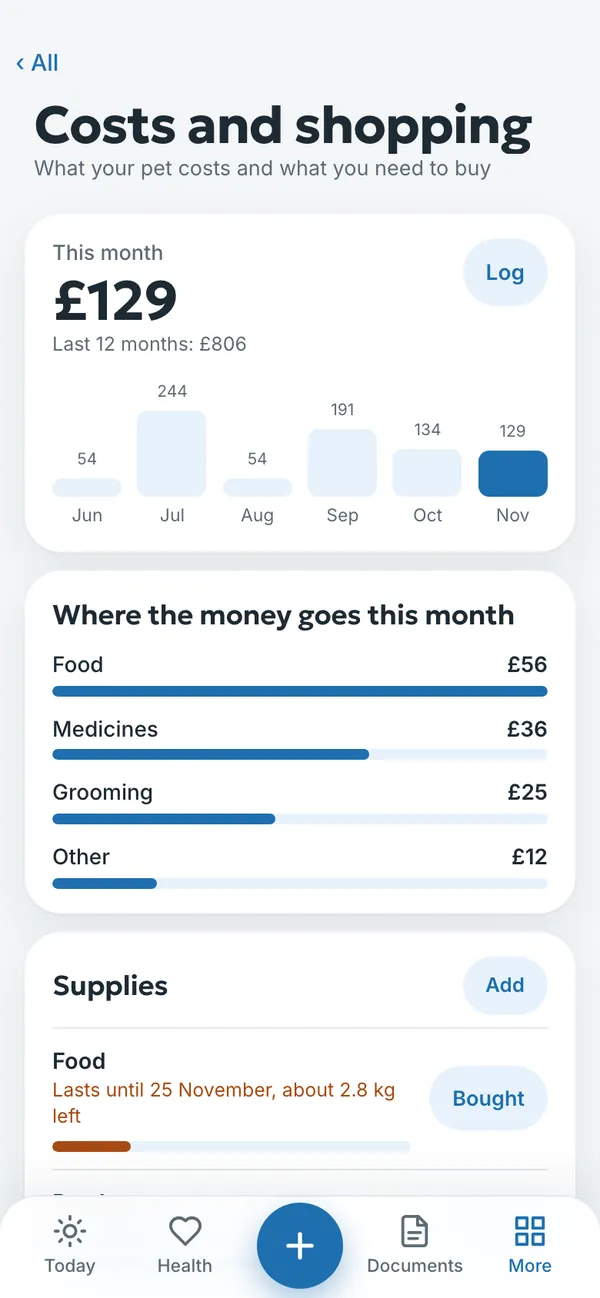
Costs and shopping shows what your pet costs each month and where the money goes: food, medicines, grooming, the vet and other things. Record a cost with + → Cost or the Log button.
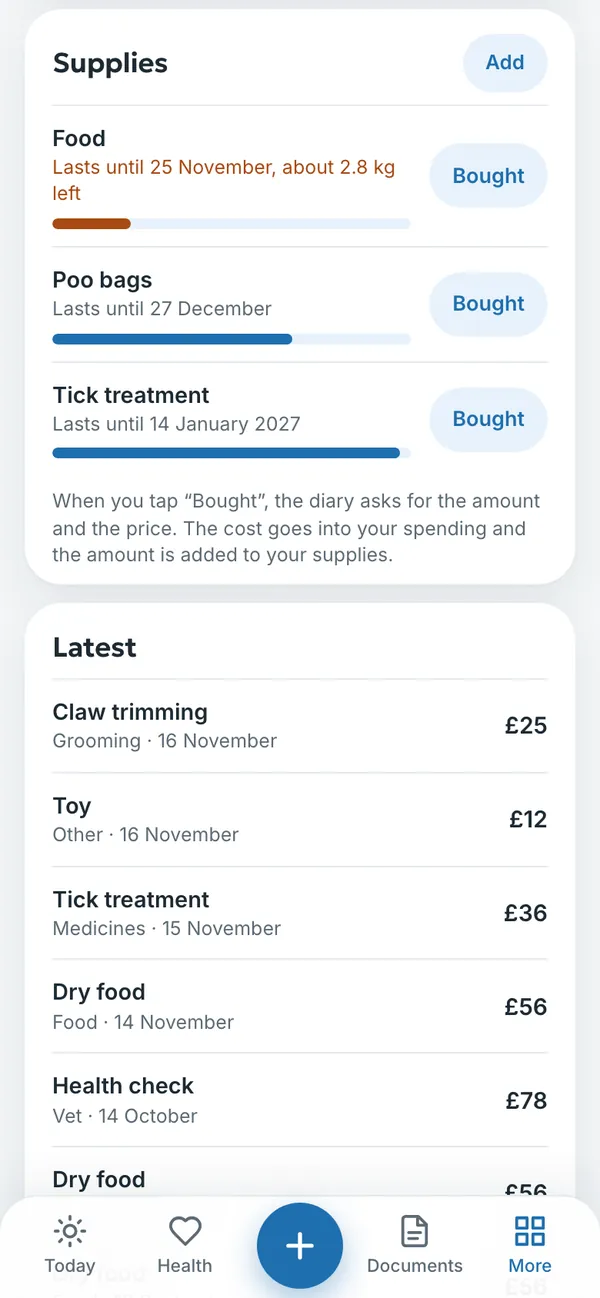
Under Supplies, the diary works out how long food, poo bags or flea and tick treatment will last. When you tap Bought, the diary asks for the amount and the price. The cost goes into your spending and the amount is added to your supplies.
Tricks
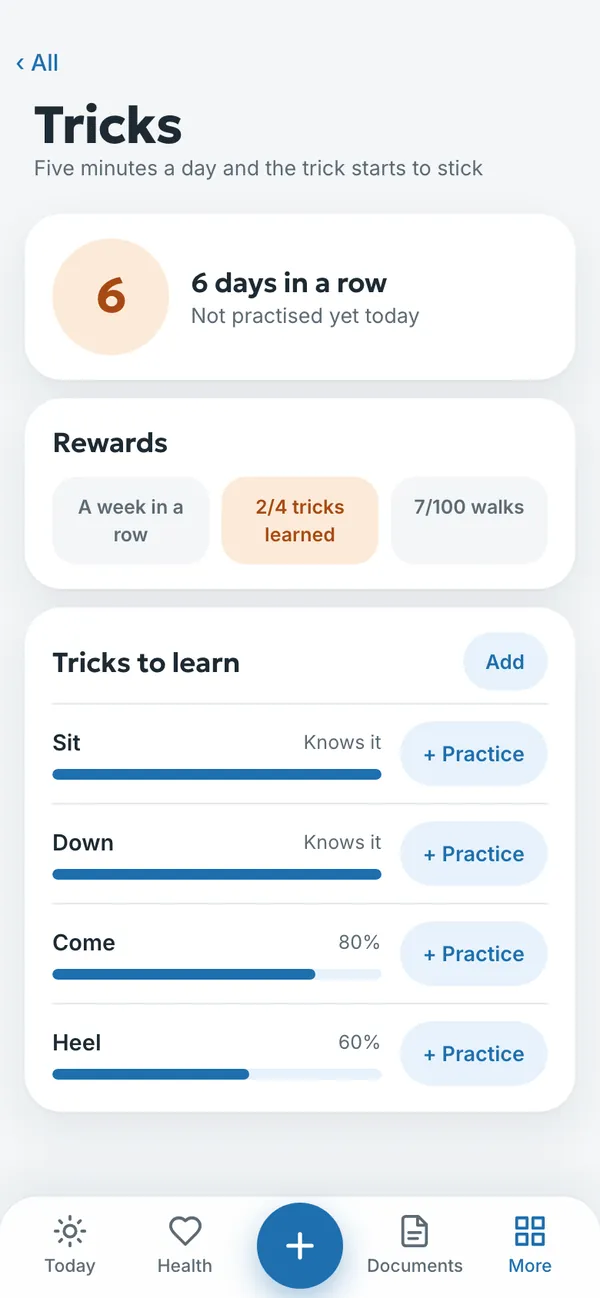
Tricks helps you practise a little every day. Add a trick to learn, log practice with + Practice and follow your run of days in a row and how each trick is coming along.
Try it yourself
In the example you can tap anything without signing in. Your own diary: 14 days free, no payment card.
The service is provided by TECHNOLOGY-R2 LLP, info@paw4care.com. Pricing · Terms of Service · Cancellation and Refund Policy · Privacy Policy · Contact
Guide updated 17 November 2026