
Pet diary guide
Reminders and notifications
The diary reminds you about vaccinations, parasite treatments, medicines, vet visits and tasks you have marked. Reminders arrive on your phone as notifications and, if you like, by email too.
What you are reminded about and when
- Vaccinations and parasite treatments: a week before, the day before and on the day.
- Medicines: every day at the right time until the end of the course, when Remind me every day is on.
- Vet visits and routine tasks that have a reminder.
- When you log a vaccination or treatment, the next date is suggested for you. Check it against the vaccination card and adjust it if needed.
Coming up and the calendar
The Coming up list on the home screen puts what needs doing now at the top. Mark an item with Done or Log, and the next time is worked out for you.
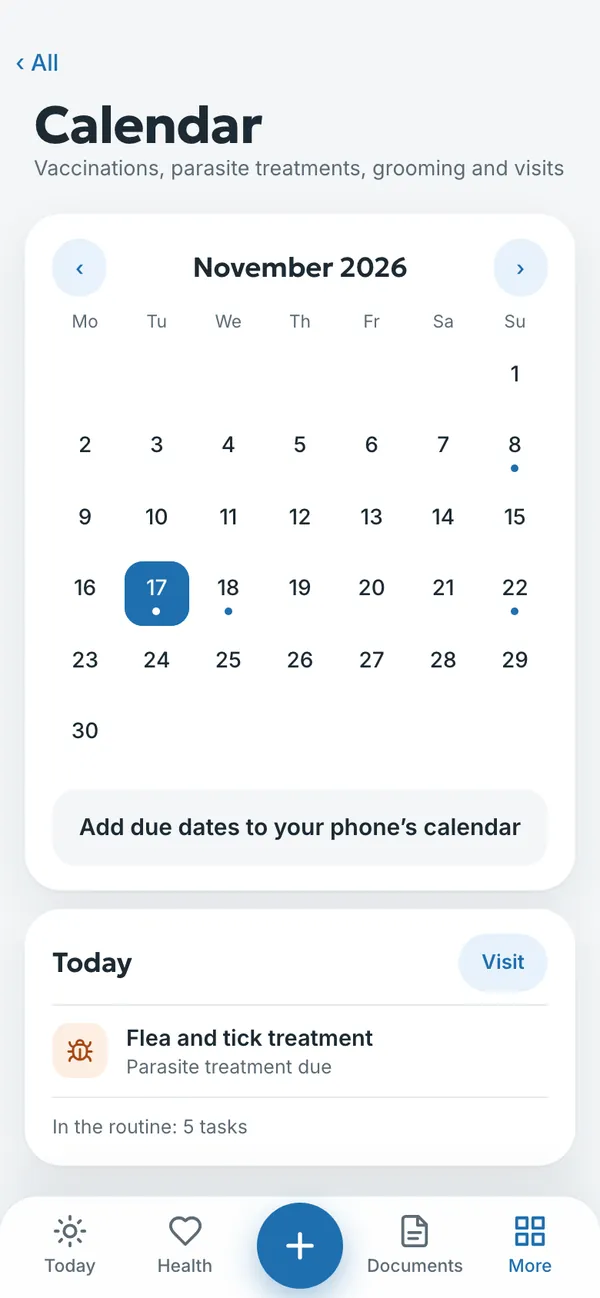
More → Calendar shows the whole month: vaccinations, parasite treatments, grooming and visits. Choose a day to see its entries. Add due dates to your phone’s calendar puts the due dates in your phone’s own calendar as well.
Notifications on your phone
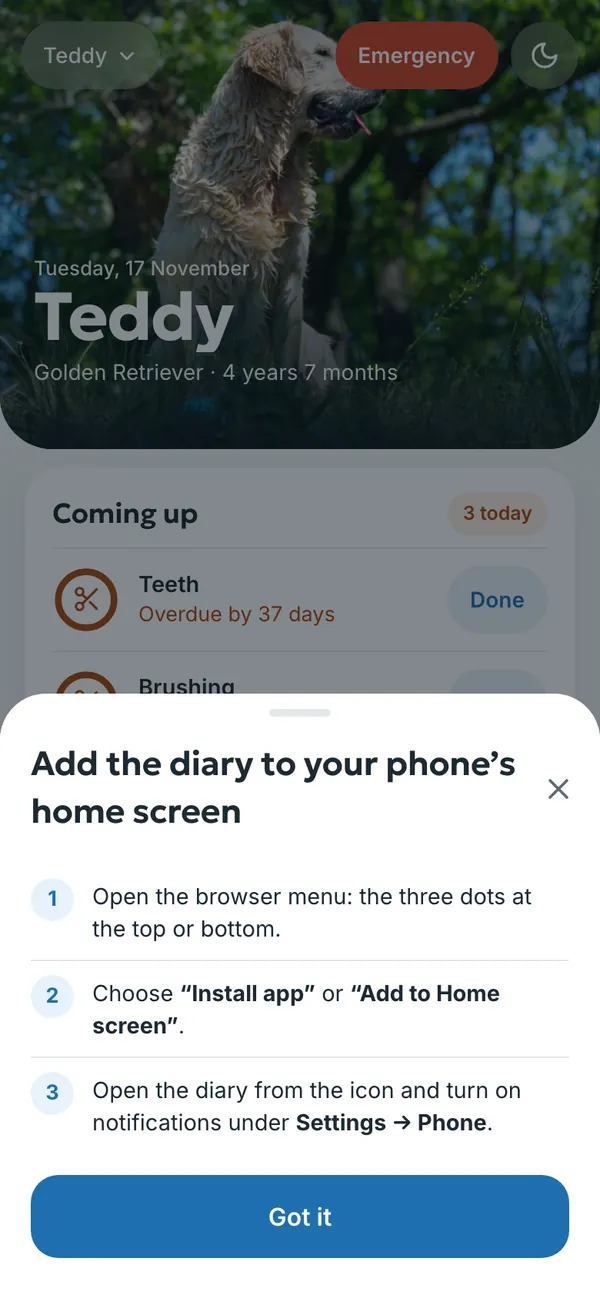
Notifications arrive once the diary has been added to your phone’s home screen and notifications are turned on. The diary then opens from its icon like an app.
On an Android phone:
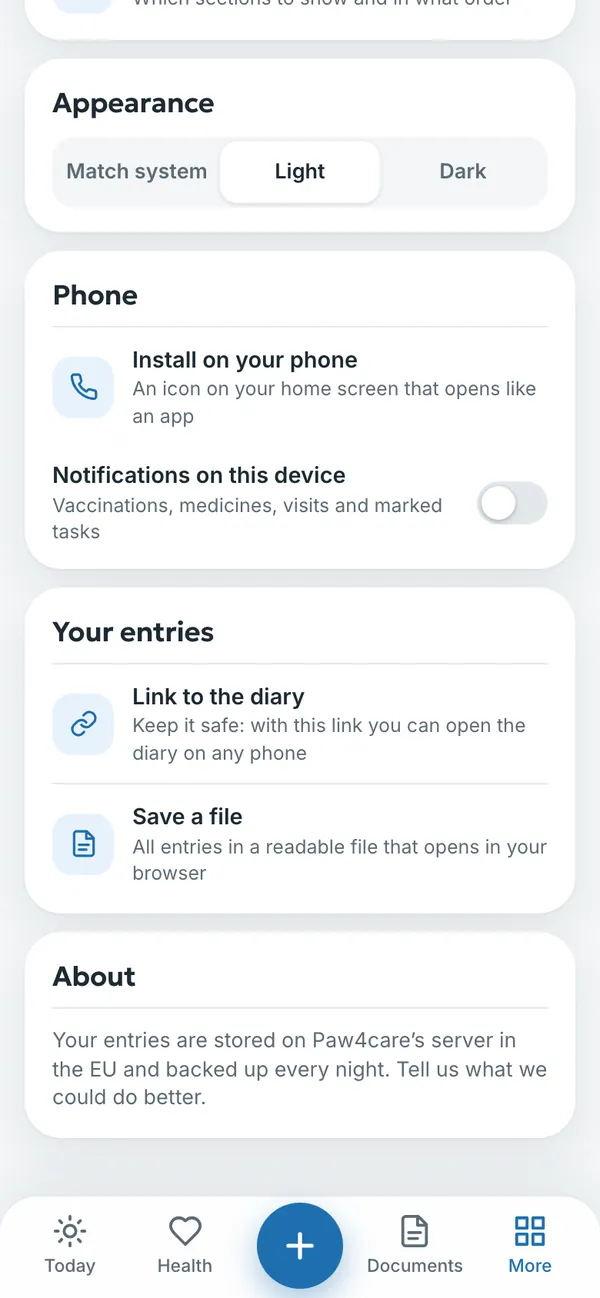
- Open More → Settings and tap Install on your phone. The same button is at the top of the More page.
- If your phone offers to add the icon, tap Install. If not, open the browser menu (three dots) and choose Install app or Add to Home screen.
- Open the diary from its icon and turn on More → Settings → Phone → Notifications on this device. Allow notifications when your phone asks.
On an iPhone:
- Open paw4care.com/pet-diary in Safari and tap Share (the square with an arrow pointing up).
- Choose Add to Home Screen and tap Add.
- Open the diary from the icon on your home screen, go to More → Settings → Phone and turn on notifications.
On an iPhone, notifications only reach the diary when it is opened from the home screen icon, not from an ordinary browser tab. You need iOS 16.4 or later.
Email reminders
Email reminders are optional. Every reminder email has a link to turn them off. We don’t send any other emails, such as newsletters.
We also email you before your trial ends and before a yearly subscription renews; see Subscription and prices.
Try it yourself
In the example you can tap anything without signing in. Your own diary: 14 days free, no payment card.
The service is provided by TECHNOLOGY-R2 LLP, info@paw4care.com. Pricing · Terms of Service · Cancellation and Refund Policy · Privacy Policy · Contact
Guide updated 17 November 2026