
Pet diary guide
Health: vaccinations, medicines, visits, lab results and weight
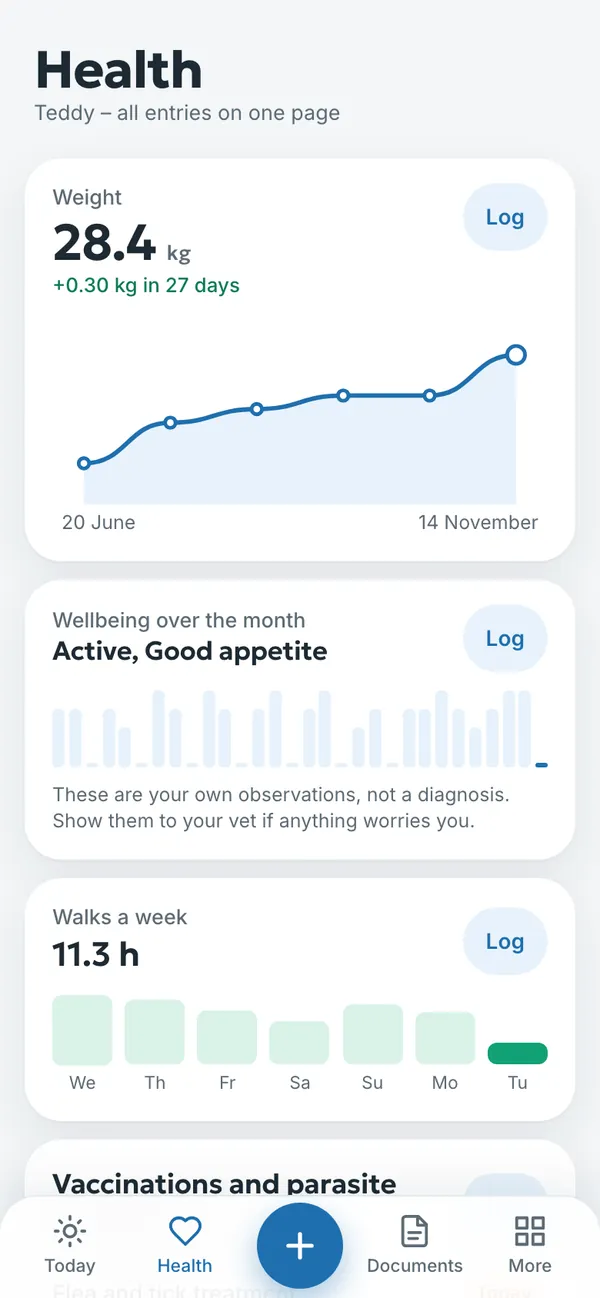
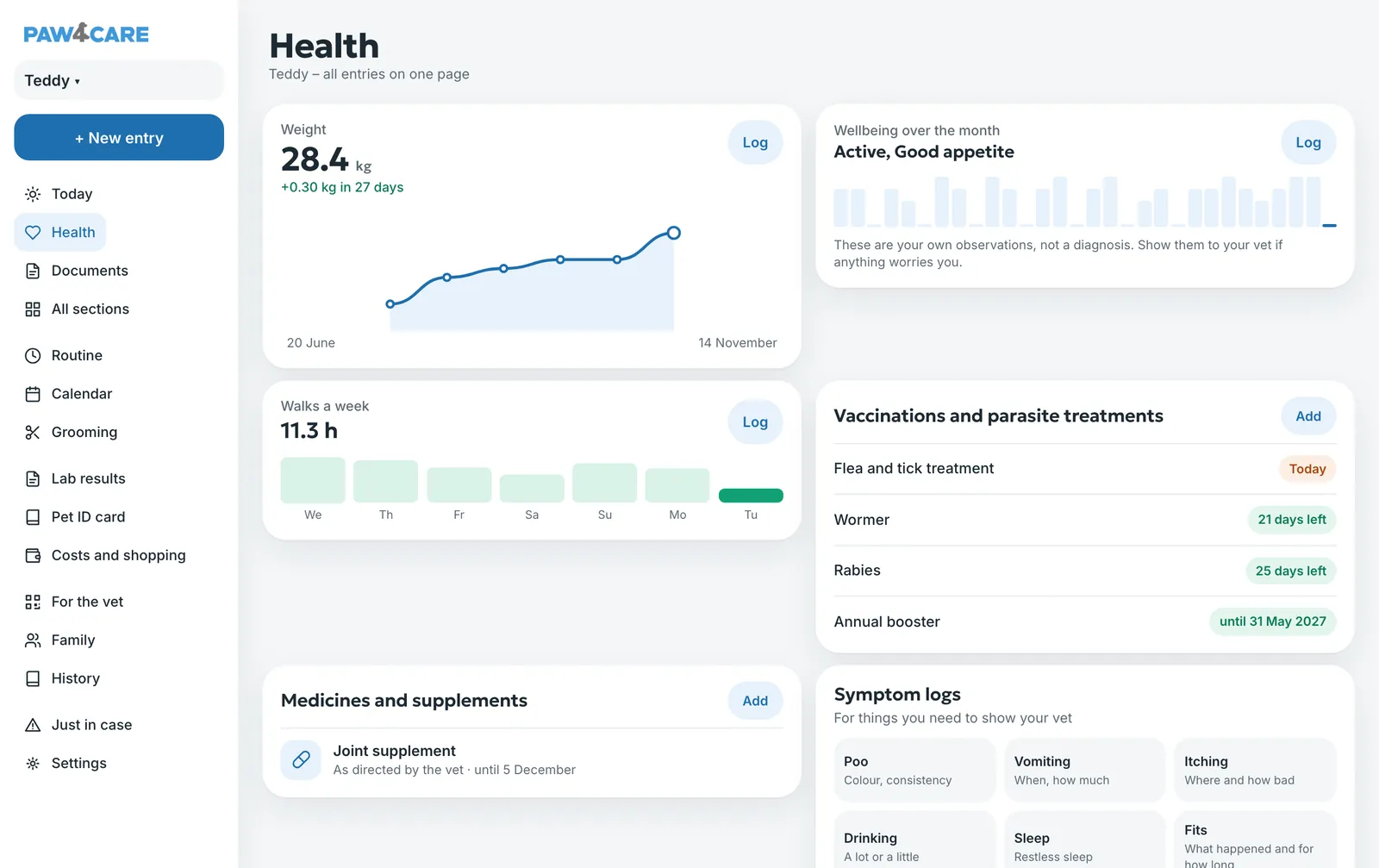
The Health section brings your pet’s health records together on one page: weight, wellbeing, vaccinations and parasite treatments, medicines and symptom logs. Lab results and paperwork from your vet are in the Documents section.
A new entry in a couple of taps
Tap the + button at the bottom (on a computer, + New entry) and choose what to record. Fill in the fields and tap Save. You can also add an entry straight from a section with its Add or Log button. A saved entry can be opened, changed or deleted.
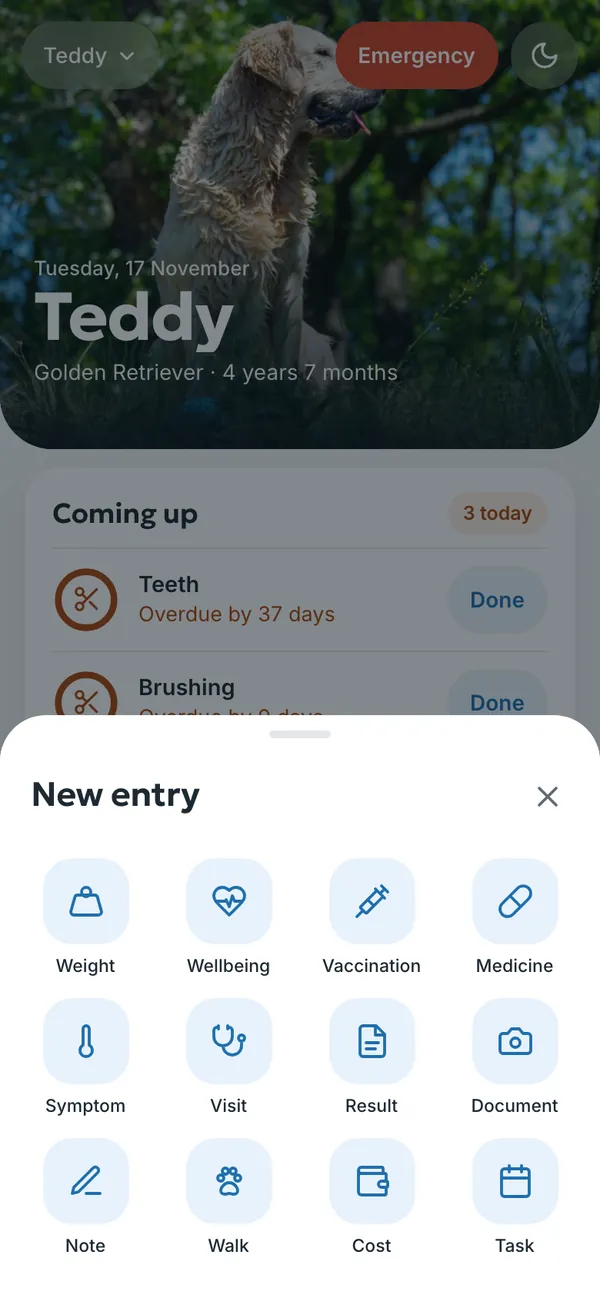
Vaccinations and parasite treatments
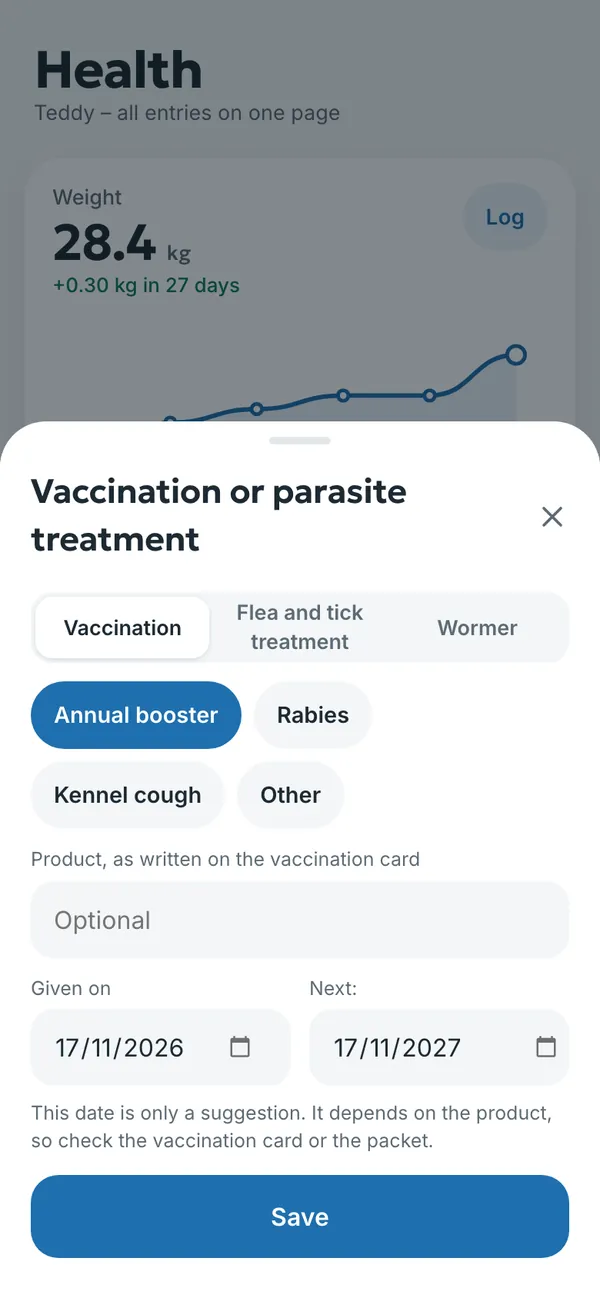
- Choose + → Vaccination, or in Health, Vaccinations and parasite treatments → Add.
- At the top, choose Vaccination, Flea and tick treatment or Wormer. For a vaccination, also choose which one: for example the annual booster, rabies or kennel cough.
- If you like, add the product name as written on the vaccination card.
- Check the Given on and Next dates. The next date is suggested for you, but it depends on the product, so check it against the vaccination card or the packet and change it if needed.
- Tap Save. The diary reminds you about the next one in good time.
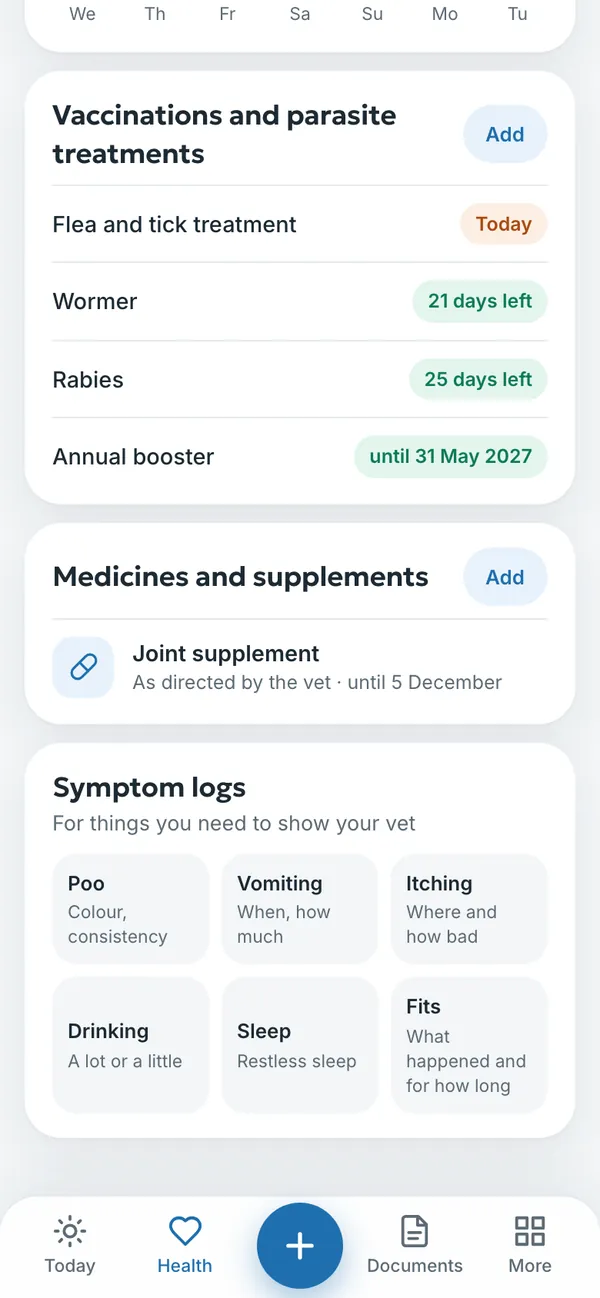
The list in Health shows where each vaccination and treatment stands: how many days are left, or until when protection lasts. Vaccinations are also copied to the pet ID card. For the usual UK schedule, see dog vaccinations and cat vaccinations.
Medicines and supplements
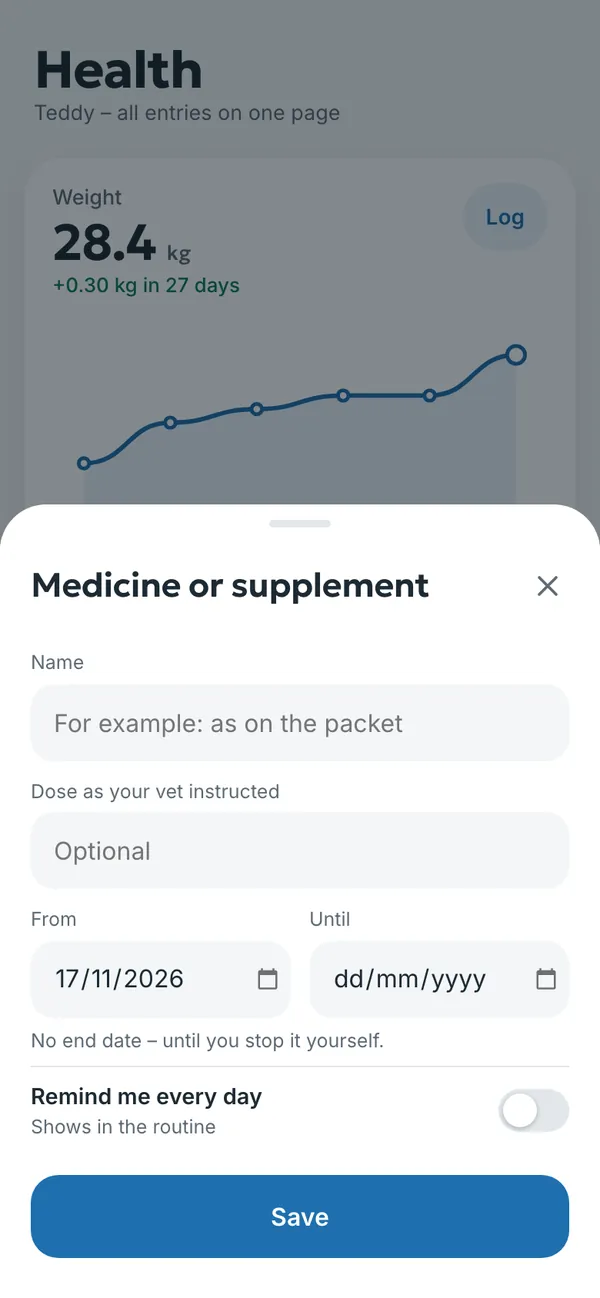
- Choose + → Medicine, or in Health, Medicines and supplements → Add.
- Enter the name as on the packet and the dose your vet told you to give.
- Choose From and Until. Without an end date, the medicine carries on until you stop it.
- Turn on Remind me every day if you want a reminder. The medicine then also shows in the routine.
- Tap Save.
The diary does not recommend medicines or doses. Always record the dose your vet gave you or the one on the leaflet.
Vet visits
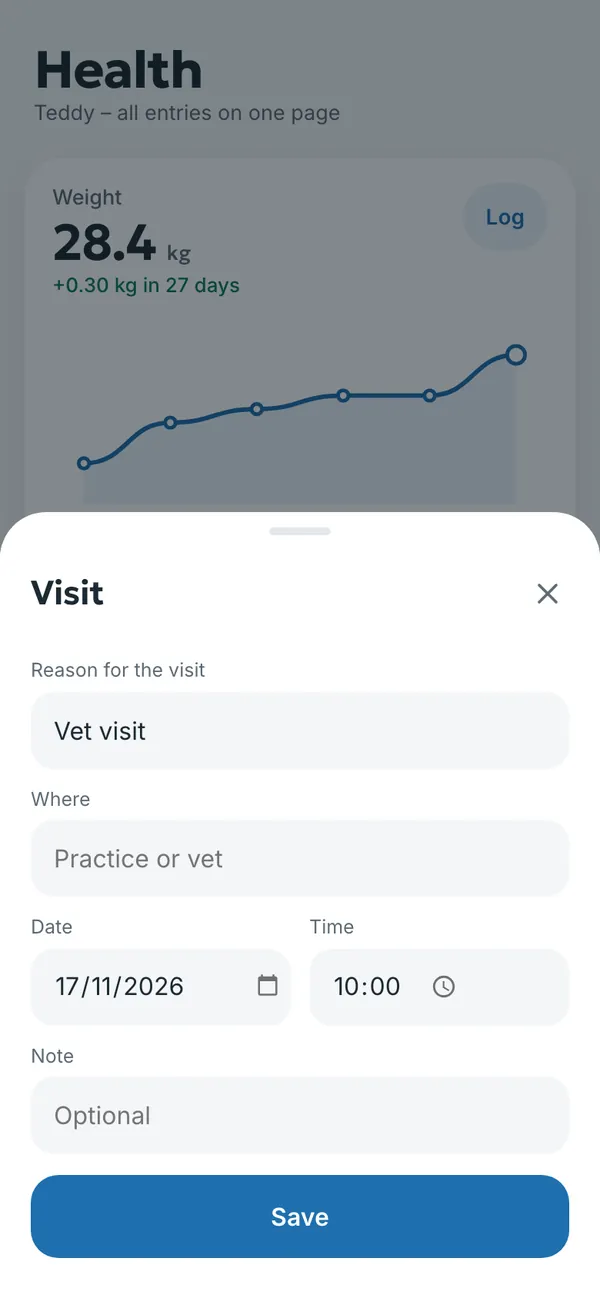
Record a visit with + → Visit: the reason, where (practice or vet), date, time and a note. You get a reminder before an upcoming visit, and past visits appear in the history and in the summary for the vet. A vet can also add a note about the visit through the QR code.
Weight and wellbeing
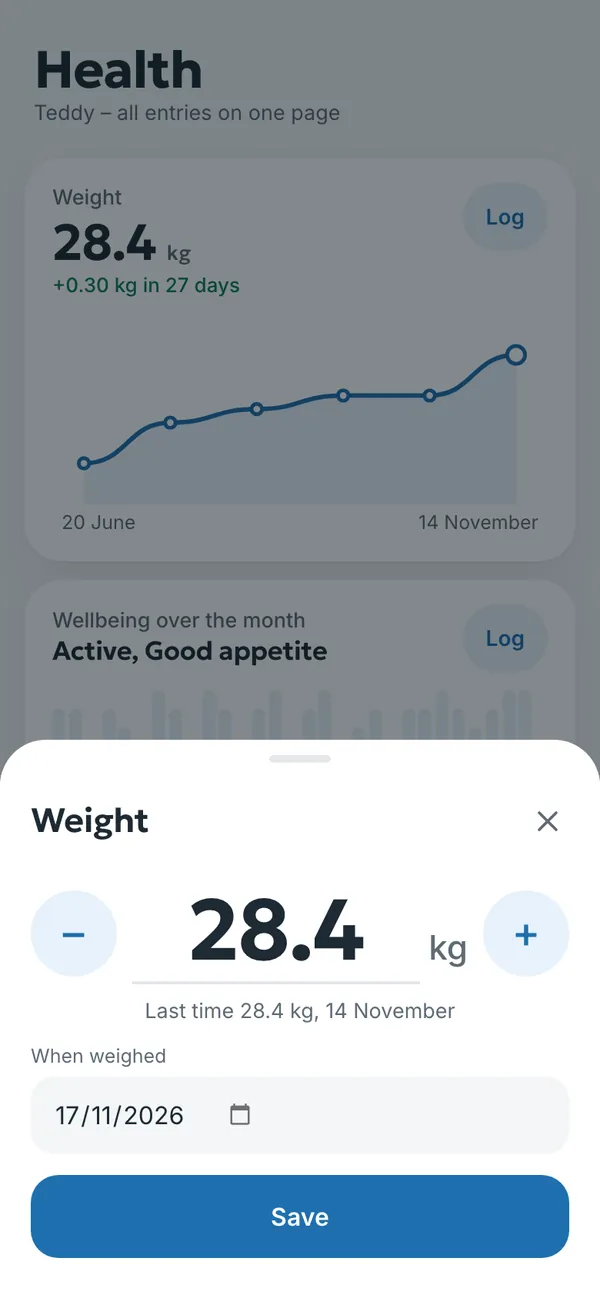
Record weight with + → Weight or the Log button in Health. Adjust the figure with − and + or type it in, and choose the date. The diary draws a weight chart and shows the change since the last weigh-in.
Wellbeing is logged with one tap, for example active, good appetite or tired. The chart shows a month of notes. These are your own observations, not a diagnosis; show them to your vet if anything worries you.
The Symptom logs are for things worth showing your vet: poo, vomiting, itching, drinking, sleep and fits. You can also record a symptom with + → Symptom.
Lab results and documents
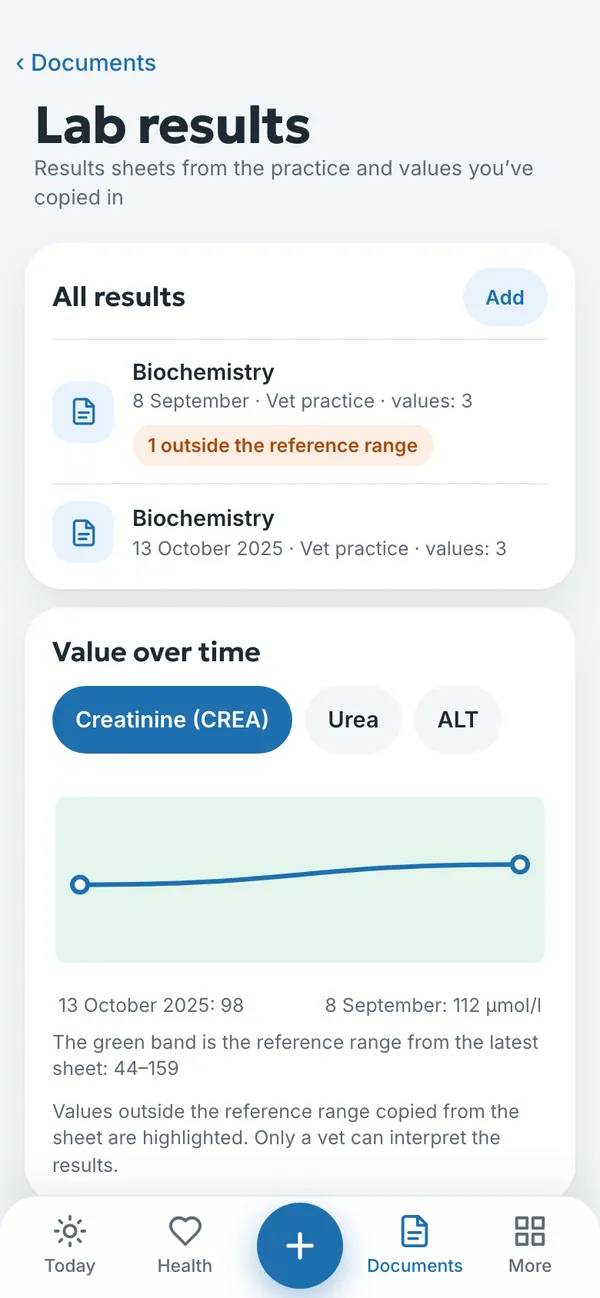
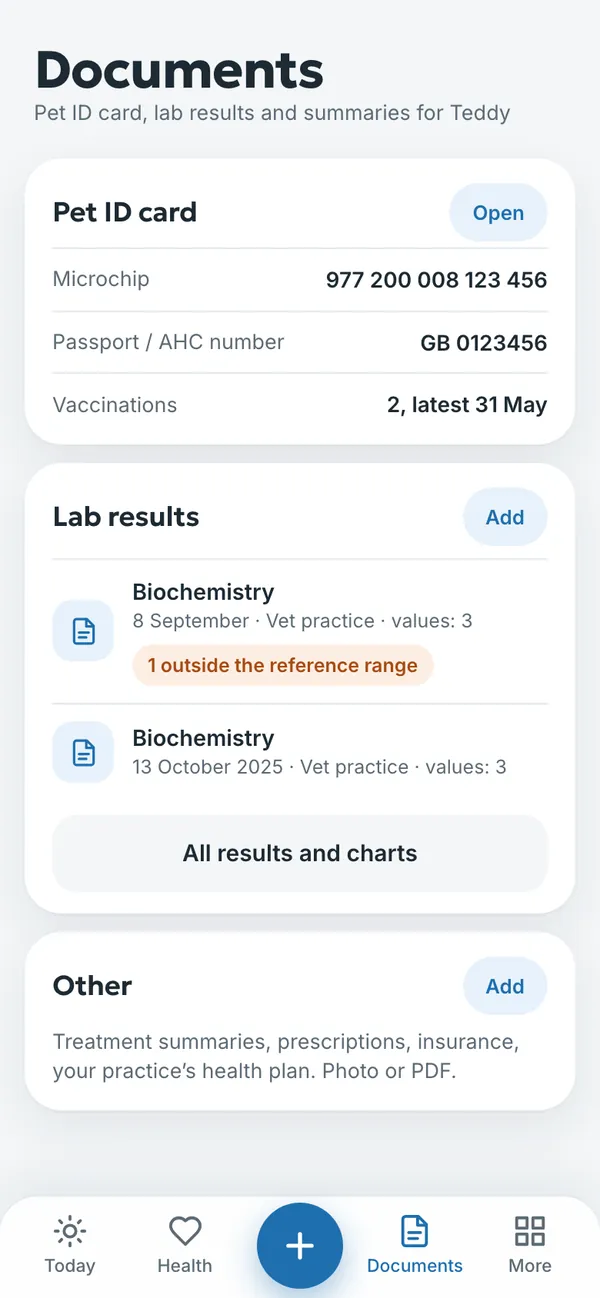
- Open Documents → Lab results → Add, or choose + → Result.
- Take a photo of the results sheet from your vet or upload the PDF.
- If you like, copy in the values and reference ranges from the sheet.
- The diary draws a Value over time chart and highlights anything outside the reference range.
The diary does not interpret results or give advice. It only compares a value with the reference range on the sheet. Your vet explains the results.
The Documents section also holds the pet ID card and Other documents: treatment summaries, prescriptions, insurance and your practice’s health plan, as a photo or PDF.
Try it yourself
In the example you can tap anything without signing in. Your own diary: 14 days free, no payment card.
The service is provided by TECHNOLOGY-R2 LLP, info@paw4care.com. Pricing · Terms of Service · Cancellation and Refund Policy · Privacy Policy · Contact
Guide updated 17 November 2026