
Pet diary guide
Pets, profile and family
One diary can hold as many cats and dogs as you like. Each pet has its own profile, and the whole family can keep the diary together.
Adding and switching pets
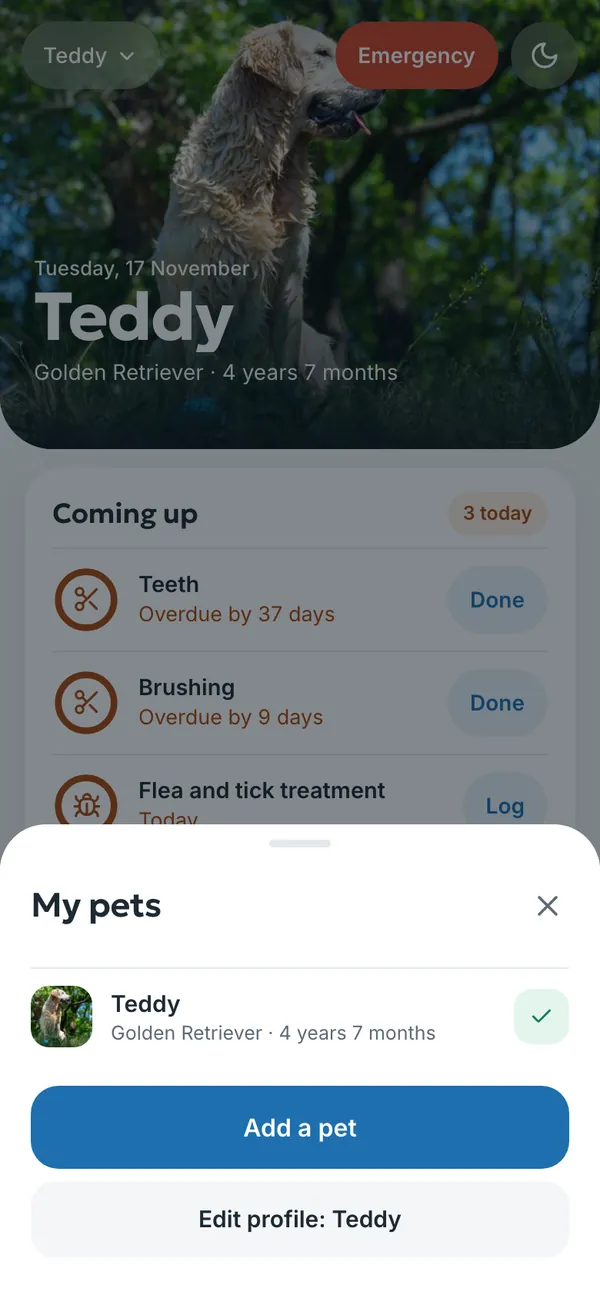
- Tap your pet’s name at the top (for example Teddy ▾). The My pets list opens.
- Choose a pet from the list and the diary shows its entries. Switching takes one tap.
- Add another pet with Add a pet: a name and species are enough to start.
Profile
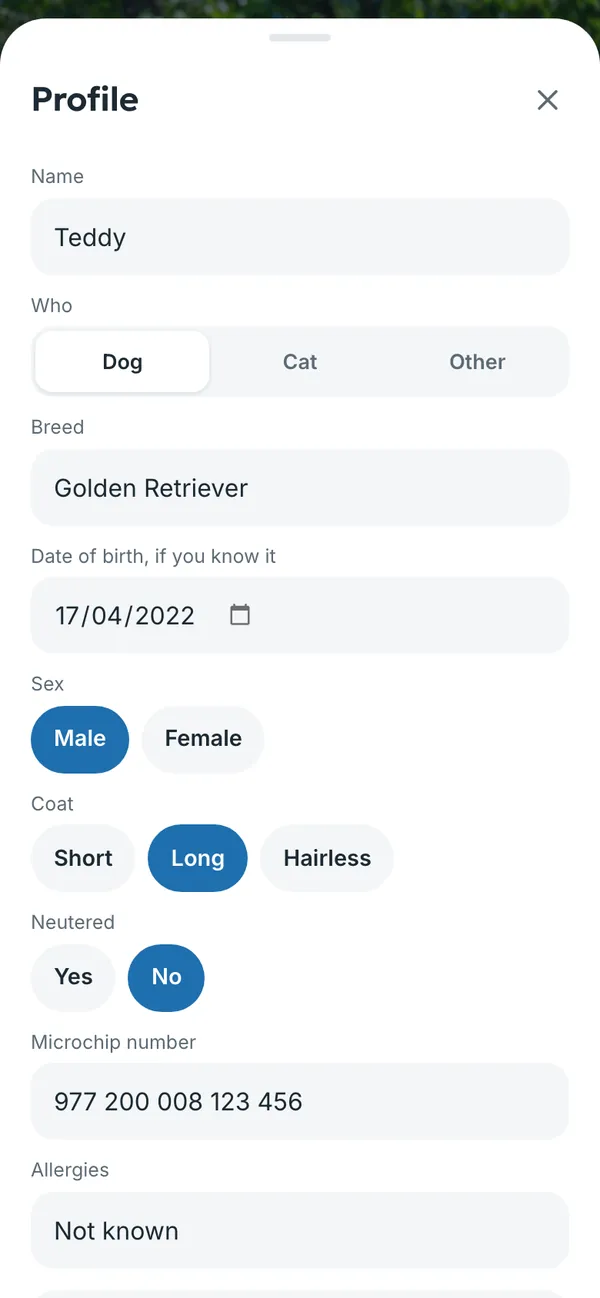
The profile holds your pet’s name, species (dog, cat or other), breed, date of birth, sex, coat, whether they are neutered, the microchip number and allergies. Open it from the pet list, or under More → Settings → Pet.
- Age is worked out from the date of birth and shown on the home screen.
- The microchip number appears on the pet ID card, in the travel checklist and in the summary for the vet.
- Allergies appear in the summary for the vet and in the notes for the pet sitter.
Family: one diary for everyone
Under More → Family you bring the rest of the household into the same diary. Everyone uses it on their own phone and can see who has already fed or walked the pet.
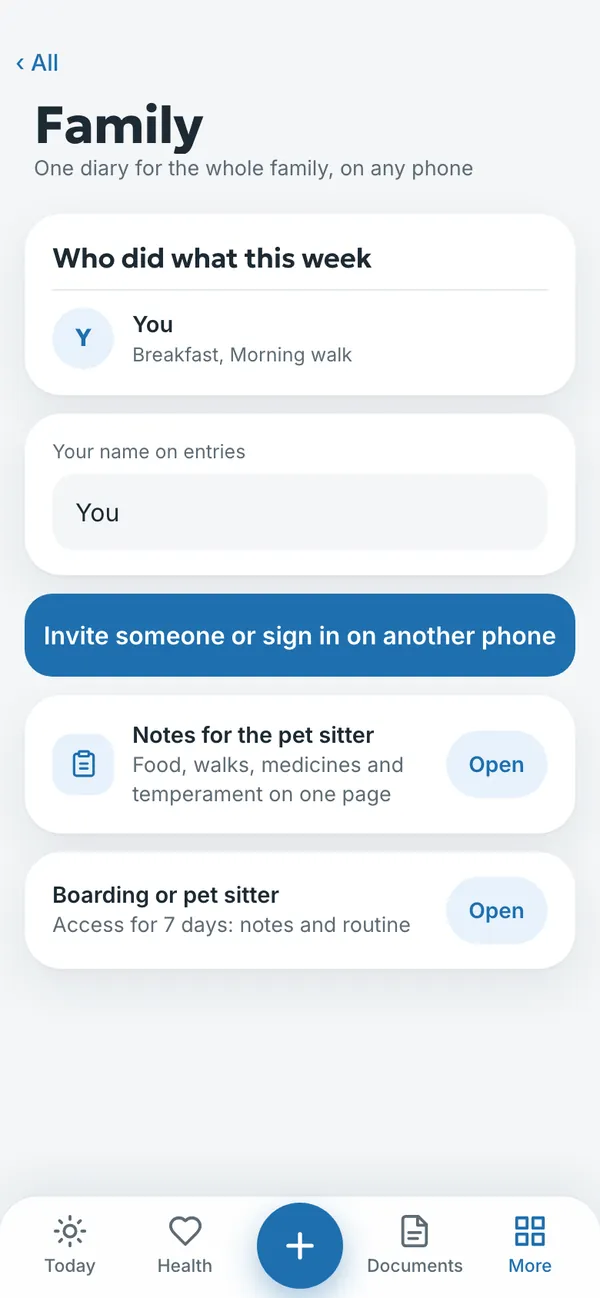
- Open More → Family.
- Tap Invite someone or sign in on another phone. You get a link to open on another phone or send to a family member.
- Under Your name on entries, enter the name others see on your entries.
- Who did what this week shows who did what.
Notes for the pet sitter
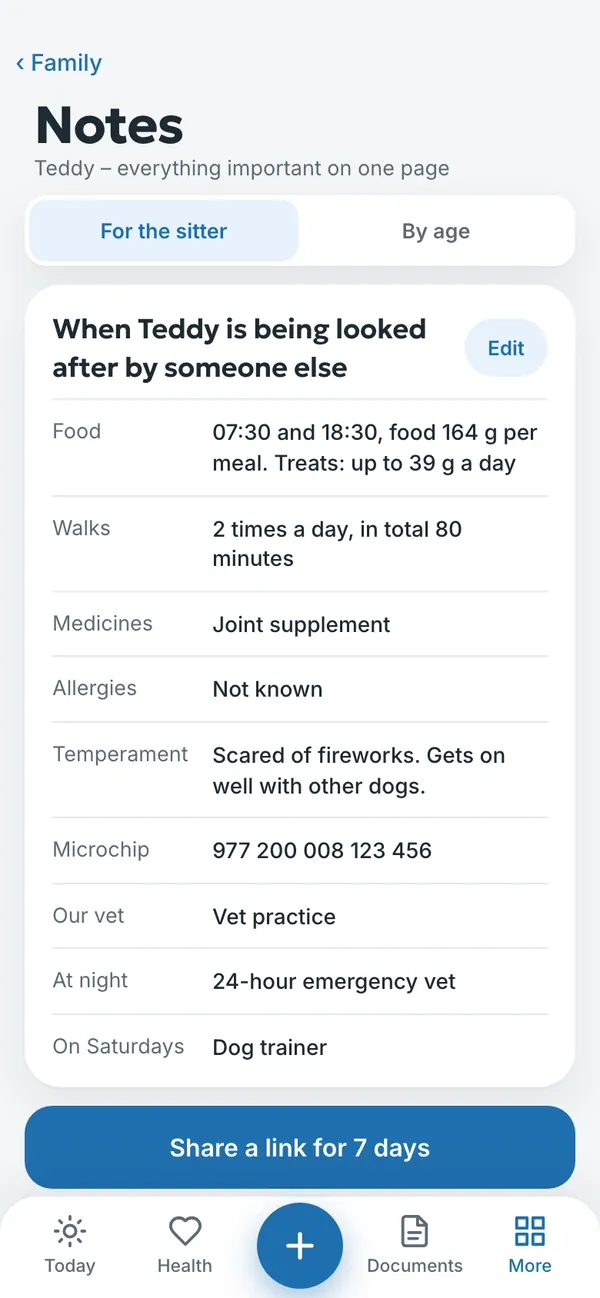
Notes for the pet sitter puts everything a sitter needs on one page: feeding times and portions, walks, medicines, allergies, temperament, the microchip number, your vet and important phone numbers.
With Boarding or pet sitter you give a sitter access for 7 days: they see the notes and the routine, but not the rest of the diary. You can close the link at any time.
When a pet has died
If your pet dies, you can mark this in their profile with My pet has died. Reminders stop, but all entries and photos are kept as a memory. You can undo this too.
Try it yourself
In the example you can tap anything without signing in. Your own diary: 14 days free, no payment card.
The service is provided by TECHNOLOGY-R2 LLP, info@paw4care.com. Pricing · Terms of Service · Cancellation and Refund Policy · Privacy Policy · Contact
Guide updated 17 November 2026